Photos
Shot with a phone or a camera, around an object or through a space. Sharp, overlapping shots work best.
Technology
Bubo² builds 3D Gaussian splats in the cloud from photos, video or the raw file off an Insta360 camera, then gives you the editors and hosting to finish and share them. No GPU of your own.
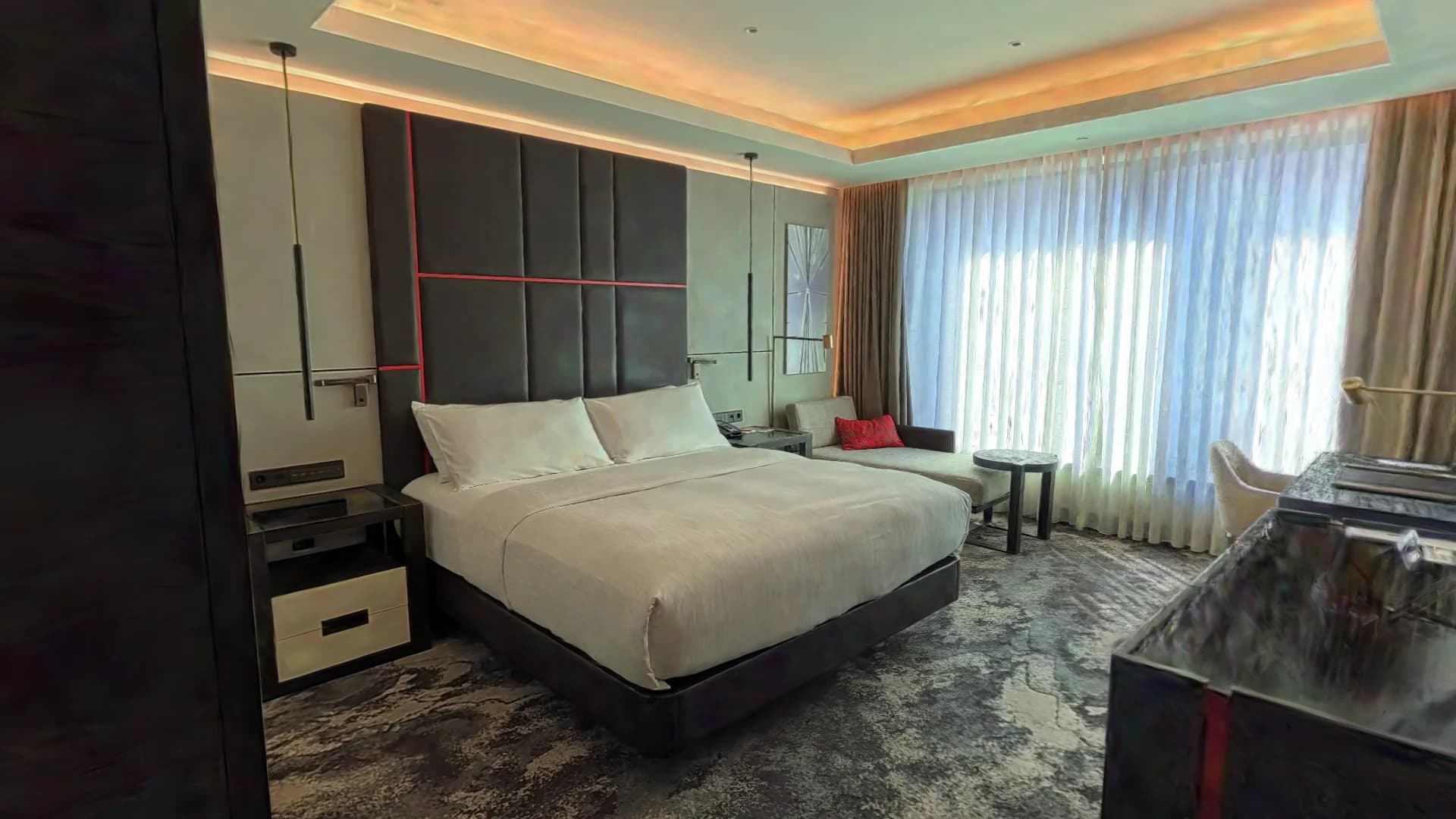
Interactive. Move through the room.
A room in a five-star hotel. Built from the raw Insta360 X5 file.
Step 1 · Capture
Use the camera you already have, and upload the files as they come off it.
Shot with a phone or a camera, around an object or through a space. Sharp, overlapping shots work best.
Filmed with a phone or a camera. The frames to use are picked by how far the camera moved and how sharp each frame is.
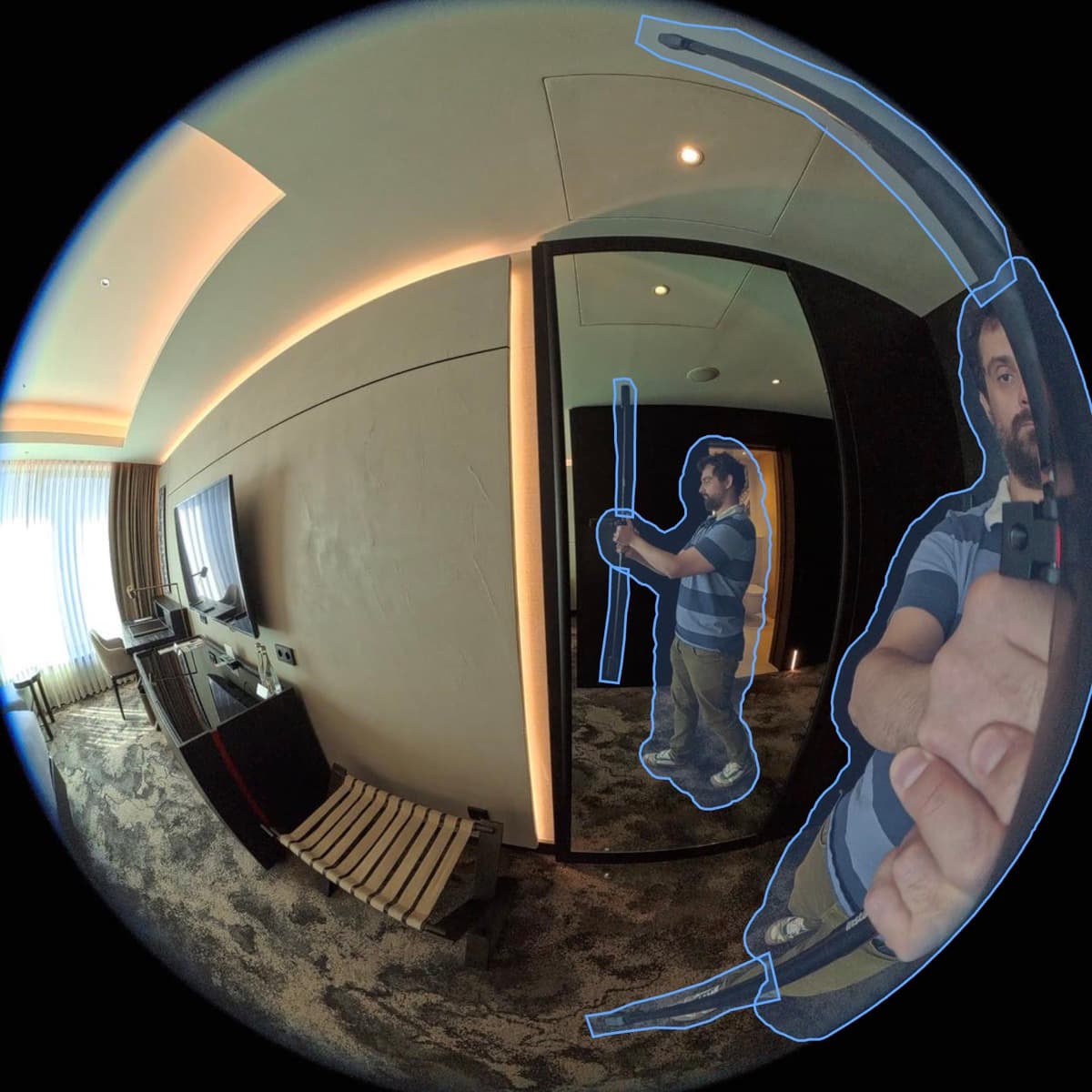
The .insv file straight off an Insta360, with no stitching or export first. Both fisheye lenses are reconstructed as a two-lens rig, and an automatic pass masks you and the camera mount out.
See them at work: Interiors, Vehicles & equipment and Small objects.
Step 2 · Inputs
Exclude a photo or frame before the build, or bring it back later.
Draw a mask on any photo or frame, copy it to the next one, or correct the automatic mask on 360° footage.
Combine several videos, or several 360° recordings, for a bigger space or a second pass. Photos and video can go together too. Changes in exposure and focus between frames are compensated as far as the footage allows.
Step 3 · Reconstruction
Camera positions come from a COLMAP-based solution we developed, and are reused when you rebuild from the same inputs.
The Model is a 3D Gaussian splat, trained on cloud GPUs. The method was introduced by Kerbl, Kopanas, Leimkühler and Drettakis at Inria (SIGGRAPH 2023).
Step 4 · Editing
Tidy the Model before anyone sees it.
Choose what people see when you share a Model.
Step 5 · Publishing
The tag inserts a responsive frame. The viewer streams the splat as it loads, and large Models open on a poster with a Load button that shows the file size. Each Showcase is private, link-only or public, and any Model downloads as PLY or SPZ.
<script src="https://3d.bubo2.com/embed.js" data-showcase="yY4"></script>Every Model on this site is embedded the same way.
Photos, video and raw Insta360 .insv recordings that hold both lenses in one file. 360° footage can’t be mixed with photos or flat video in one build, and an equirectangular MP4 export counts as flat video. Recordings split into one file per lens, and other 360° cameras, aren’t supported yet.
Automatic: frame selection, masking the operator and the mount on 360° footage, alignment and training. By hand: masks on photos and flat video, floater cleanup, region removal and leveling the floor.
Splats show surfaces and light as the camera saw them, and they render fast in a browser. We don’t make meshes, so for CAD, measurement or 3D printing another tool fits better.
Not at launch. If you need one, write to us and tell us what you’d build with it.
hello@bubo2.comUpload a video or the raw 360° file and see what comes back.